
Meeting Title I obligations and WCAG 2.1 AA standards to ensure equal access to employment opportunities
Executive Summary
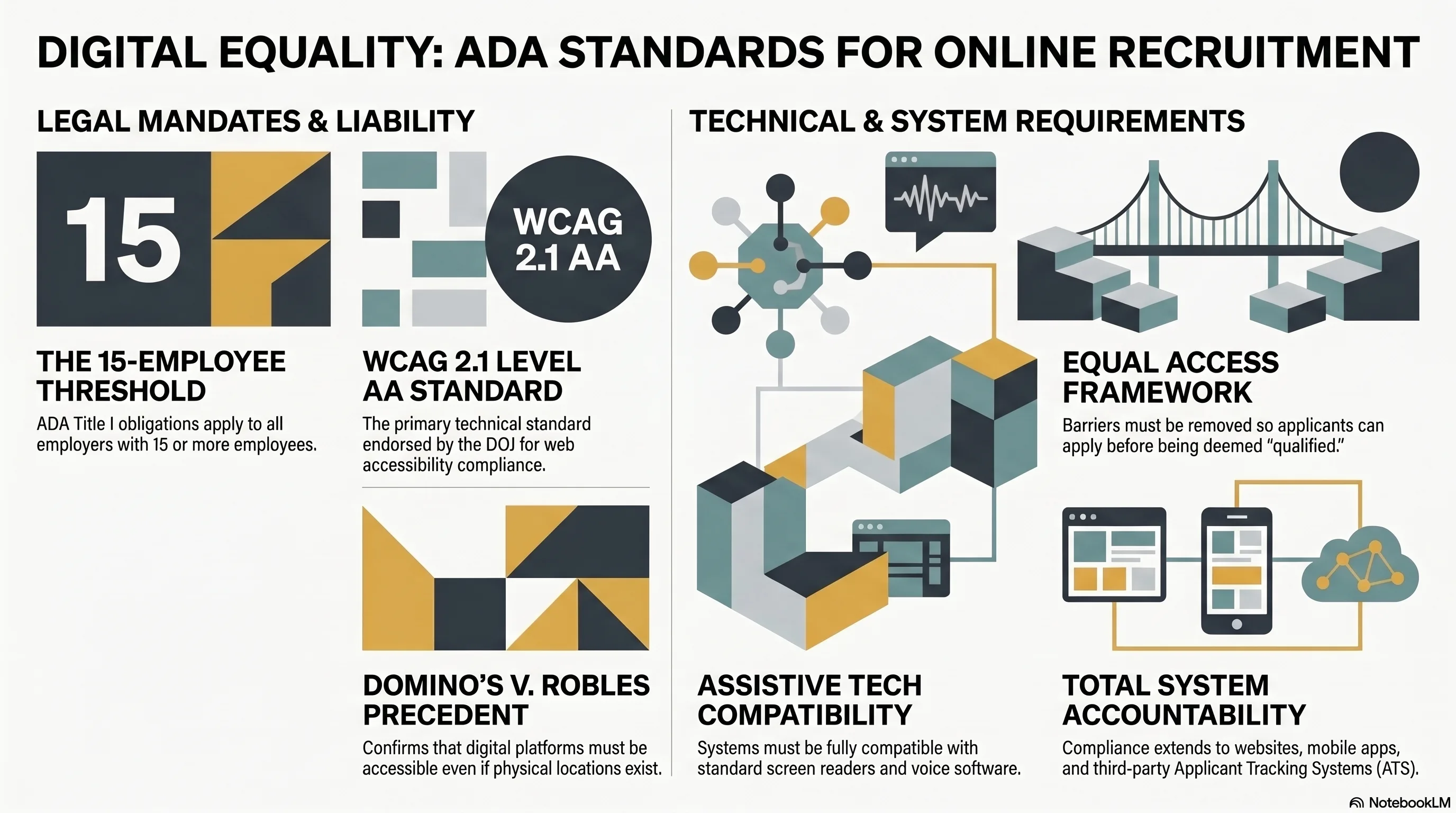
Title I of the Americans with Disabilities Act requires employers to provide equal access to employment opportunities, including the application process. This obligation extends to all systems through which applicants submit job applications—websites, mobile apps, applicant tracking systems (ATS), and online job boards. Yet many employers fail to make these systems accessible to applicants with disabilities, inadvertently screening them out at the pre-application stage. The Web Content Accessibility Guidelines (WCAG) 2.1 Level AA, issued by the W3C and endorsed by the U.S. Department of Justice, establishes technical standards for web accessibility. The DOJ rulemaking on web accessibility (expected to be finalized in 2024–2025) will likely codify WCAG 2.1 AA as the applicable standard for employers. Recent litigation has exposed significant liability for inaccessible application systems: in Dominos v. Robles, the U.S. Supreme Court confirmed that businesses providing goods and services online must comply with the ADA, even if they also have physical locations. For recruitment, this means that inaccessible career sites are discriminatory and expose employers to substantial damages. This article examines Title I accessibility obligations, WCAG 2.1 AA technical standards, common ATS accessibility failures, automated testing and remediation procedures, practical accessibility requirements, and litigation trends.
Title I Obligations for Accessible Job Applications
The ADA Title I requires employers with 15 or more employees to ensure that applicants and employees with disabilities have “equal access to the benefits and privileges of employment.” This includes access to recruitment information, job descriptions, and the application process. The EEOC has interpreted this obligation to require that employers provide accessible job application systems, either by making the primary application system accessible, or by providing an alternative accessible method for applicants to apply.
42 USC §12111(9) defines “qualified individual with a disability” as an individual who, with or without reasonable accommodation, can perform the essential functions of the job. The definition presupposes that the individual is able to access information about the job and submit an application. An inaccessible application system effectively prevents individuals with certain disabilities from even applying, creating a barrier before the “qualified individual” determination can be made.
The EEOC has issued guidance (“The ADA and Recruitment, Advertising, and Job Application Procedures”) emphasizing that employers must ensure that job postings and application procedures are accessible to individuals with disabilities. The guidance specifically states that employers using online application systems must ensure that those systems are accessible to individuals using assistive technology (screen readers, voice software, etc.).
Importantly, Title I does not require employers to make applicants’ personal websites, devices, or software accessible. Rather, it requires employers to make employer-controlled systems (the career site, the ATS, the job portal) accessible. An employer providing an accessible application system is not responsible if an applicant’s screen reader software fails to work with that system, but the employer is responsible if the career site itself is not compatible with screen readers due to poor design.
A critical distinction: employers may ask applicants to use specific software or technology to apply, but the application system must be fully compatible with standard assistive technology. For example, an employer may require applicants to submit a PDF resume via the online application system (rather than handwritten applications), but the PDF must be properly formatted so that screen readers can read it. An employer may require video interviews, but the platform must provide captioning so that deaf applicants can participate. An employer may use CAPTCHA verification for security, but must provide an alternative verification method accessible to individuals with visual impairments.
WCAG 2.1 Level AA: Technical Standards and Principles
The Web Content Accessibility Guidelines (WCAG) 2.1 Level AA, published by the World Wide Web Consortium (W3C), establish technical standards for web accessibility. WCAG 2.1 AA is more comprehensive and current than earlier standards (WCAG 2.0 AA) and incorporates improvements related to mobile accessibility, low vision support, and cognitive disabilities.
WCAG 2.1 is organized around four core principles:
Percei vable: Users must be able to perceive content. Content cannot be invisible to all users. This requires:
- Sufficient color contrast (at least 4.5:1 for normal text, 3:1 for large text) so that users with color blindness or low vision can distinguish text from background
- Text alternatives for images (alt text describing the image’s content so screen reader users can understand the image)
- Captions and transcripts for audio and video content so deaf or hard of hearing users can access information
- Content that does not rely solely on color to convey information
Operable: Users must be able to operate and navigate the system. Content must be navigable via keyboard (not just mouse), because users with motor impairments may use keyboard-only or voice-activated controls. This requires:
- Keyboard accessibility: all functionality available via keyboard, not just mouse
- Focus visible: users must be able to see which element currently has focus (a visual indicator, not a hidden focus outline)
- No keyboard traps: users should not be trapped in components and unable to navigate away via keyboard
- Sufficient time to interact: timed operations (session timeouts, time-limited forms) must allow users with disabilities adequate time to complete actions
Understandable: Users must be able to understand the content and how to operate the system. This requires:
- Clear language: avoiding jargon, providing definitions
- Consistent navigation: repeating elements in consistent locations across pages
- Predictable interactions: avoiding unexpected context changes or auto-advancing to new content
- Error prevention and recovery: providing clear error messages and ways to correct errors
Robust: Content must be compatible with current and future assistive technology. This requires:
- Valid HTML and semantic markup so that screen readers can interpret content correctly
- Proper use of ARIA (Accessible Rich Internet Applications) attributes to describe dynamic content
- Compatibility with standard browsers and assistive technology
WCAG 2.1 AA includes approximately 50 specific success criteria addressing these principles. Compliance requires meeting all Level A criteria and all Level AA criteria. For employers, the most important criteria in the recruitment context are:
Common Accessibility Failures in ATS Platforms and Career Sites
Accessibility audits of popular ATS platforms reveal recurring compliance failures that prevent applicants with disabilities from applying:
CAPTCHA and Image-Based Security:
Many ATS platforms use CAPTCHA (Completely Automated Public Turing test to tell Computers and Humans Apart) or image-based security verification to prevent automated bot applications. Standard image-based CAPTCHAs are inaccessible to users with visual impairments because they cannot read the distorted image. While text-based CAPTCHAs are more accessible, they present significant barriers for applicants with cognitive impairments or dyslexia.
Compliant alternatives include:
- Providing an audio CAPTCHA option (question read aloud, user provides answer via keyboard)
- Using a “logic puzzle” CAPTCHA (“If there are three apples and you add two more, how many do you have?”) instead of image recognition
- Using user-account-based verification (if the user has an account, require login instead of CAPTCHA)
- Reducing CAPTCHA complexity or frequency
Session Timeouts:
Many ATS platforms require users to complete the application within a fixed time limit (e.g., 30 minutes), with automatic logout after the deadline. For users with disabilities who may need more time to read and complete forms, fixed timeouts create barriers. WCAG 2.1 AA (criterion 2.2.1) requires that users be able to extend or disable timeouts for essential functions.
Compliant solutions include:
- Allowing users to extend the session timeout before it expires
- Saving application data periodically so users can resume without loss of progress
- Extending the timeout automatically if the user is actively interacting with the form
- Eliminating the timeout for essential functions (job application) while maintaining it for less essential features
Keyboard Navigation Issues:
Many ATS platforms have poor keyboard navigation support. Users cannot tab through fields in logical order, keyboard focus is not visible, or some interactive elements cannot be accessed via keyboard. Screen reader users and users who cannot operate a mouse depend on keyboard navigation.
Compliant solutions require:
- Ensuring all interactive elements are keyboard accessible (buttons, links, form fields, dropdowns)
- Maintaining a logical tab order through the form
- Providing a visible focus indicator (outline or highlight) on the currently focused element
- Avoiding keyboard traps where users become stuck unable to tab away
Form Labels and Instructions:
Many online application forms lack proper labels for input fields, or labels are not associated with fields in a way that screen readers can recognize. Instructions may be visual-only or may not be properly associated with the fields they describe.
Compliant solutions require:
- Using HTML <label> elements properly associated with <input> fields
- Providing clear, visible labels for every form field
- Using ARIA labels or descriptions if traditional HTML labels are insufficient
- Providing error messages that clearly indicate which fields have errors and how to correct them
Dynamic Content and Drag-and-Drop:
Modern ATS platforms often include dynamic features (content that appears or changes without page reload), drag-and-drop interfaces for uploading documents, or expandable sections. These features are often implemented without proper accessibility support.
Compliant solutions require:
- Announcing dynamic content changes to screen readers using ARIA live regions
- Providing keyboard alternatives to drag-and-drop operations
- Ensuring dynamic content is logically ordered and searchable via keyboard
- Testing dynamic features with screen readers and keyboard-only navigation
Image-Based Documents:
Many ATS platforms accept PDFs, Word documents, and other file uploads containing images (scanned documents, images with embedded text). If these documents are not properly formatted with text layers, screen readers cannot read them.
Compliant solutions require:
- Accepting text-based documents (formatted PDFs, Word documents with actual text, not scanned images)
- Requesting that applicants submit accessible documents or providing guidance on how to create accessible PDFs
- Converting scanned documents to searchable PDFs with OCR (optical character recognition) to enable screen reader access
Video Content Without Captions:
Some ATS platforms include video content (company culture videos, job previews, interview instructions). If videos lack captions, deaf and hard of hearing applicants cannot access this content.
Compliant solutions require:
- Providing captions for all video content
- Providing transcripts for audio-only content
- Ensuring captions are accurate and complete (not just partial or summary captions)
DOJ Rulemaking on Web Accessibility and Current Landscape
The Department of Justice has been working on a rulemaking to establish web accessibility standards under Title II and Title III of the ADA. While the final rule has not yet been issued, the DOJ’s notice of proposed rulemaking (NPRM) issued in 2022 provides guidance on the direction of the rulemaking.
The proposed rule would establish WCAG 2.1 Level AA (with some modifications) as the applicable standard for web accessibility under the ADA. The proposed rule also addresses specific areas:
- Video content must include captions and audio descriptions
- Web pages must be compatible with assistive technology
- Websites must provide alternative methods for completing web-based processes
- Specific standards for various content types (forms, images, data tables)
While the final rule is pending, the DOJ has indicated through enforcement actions, amicus briefs, and guidance that it views WCAG 2.1 AA as the current applicable standard for ADA compliance. The EEOC has adopted WCAG 2.1 AA in its guidance documents, and state attorneys general have brought enforcement actions for inaccessible websites using WCAG 2.1 AA as the standard.
For practical compliance purposes, employers should assume that WCAG 2.1 Level AA is the applicable standard now and prepare accordingly. Once the DOJ rulemaking is finalized, WCAG 2.1 AA compliance will be legally required.
Importantly, WCAG compliance does not require that all content be accessible in multiple formats or that employers provide unlimited accommodations. Rather, WCAG compliance requires that the primary application system (the career site, the ATS) be designed with accessibility in mind from the outset, so that applicants with disabilities can navigate and use the system independently. Accessibility should be built into the system’s design, not retrofitted as an afterthought.
Practical Accessibility Testing and Remediation
Ensuring that career sites and ATS platforms are accessible requires systematic testing and ongoing remediation. The following process helps employers identify and fix accessibility barriers:
- Conduct an Automated Accessibility Audit: Use automated testing tools to scan the career site and ATS for common accessibility issues. Tools like WAVE (WebAIM), Lighthouse (Google), Axe DevTools, and NVDA (screen reader) can identify issues such as missing alt text, color contrast problems, missing labels, and improper heading structure. Automated tools catch approximately 30-40 percent of accessibility issues; the remaining issues require manual testing.
- Perform Manual Testing with Assistive Technology: Use actual screen readers (NVDA for Windows, VoiceOver for Mac) and voice control software (Windows Speech Recognition, macOS Dictation) to navigate the application system. Test whether all functionality is accessible via keyboard alone. Identify any pages or processes that are difficult or impossible to complete with assistive technology.
- Engage Users with Disabilities: Recruit individuals with disabilities to test the career site and application system. Provide them with specific tasks (e.g., “Find the software developer job posting and submit an application”) and observe whether they can complete tasks independently. Gather feedback on barriers they encountered.
- Test on Mobile Devices: Test the career site on mobile browsers and applications. Ensure that mobile versions of the site are equally accessible as desktop versions. Touch targets must be sufficiently large, and pinch-to-zoom must not be disabled.
- Document Findings and Prioritize Remediation: Create a remediation roadmap identifying critical barriers (preventing application completion), important barriers (significantly impeding application), and minor issues (improving but not preventing access). Address critical barriers immediately; plan resolution for important barriers within 30-60 days.
- Implement Technical Fixes: Work with your ATS vendor or web development team to implement fixes. Common fixes include: adding alt text to images, adjusting color contrast ratios, correcting form labels, improving keyboard navigation, adding ARIA attributes to dynamic content, and providing captions for video.
- Verify Fixes and Retest: After remediation, retest using the same tools and methods to ensure barriers have been eliminated. Automated testing can verify that issues have been fixed; manual testing with assistive technology confirms that the user experience is truly accessible.
- Maintain a Remediation Log: Document all accessibility issues identified, fixes implemented, and verification completed. This log demonstrates ongoing commitment to accessibility and is valuable if the employer faces accessibility-related complaints or litigation.
- Establish Ongoing Monitoring: Schedule quarterly or semi-annual accessibility audits to identify new issues introduced by software updates, platform changes, or new content. Accessibility is an ongoing obligation, not a one-time fix.
Alternative Application Methods and Accessibility Accommodations
In addition to ensuring that the primary application system is accessible, the ADA requires employers to provide alternative means for applicants with disabilities to apply if the primary system is not fully accessible or if an applicant encounters barriers.
When to Offer Alternatives:
If an applicant with a disability requests an alternative application method (e.g., “Can I apply by phone because I cannot use the online system?”), the employer must provide one unless doing so would cause undue hardship. “Undue hardship” has a high legal threshold and generally does not apply to reasonable alternative procedures.
Alternative Application Methods:
- Telephone application: allowing the applicant to call and provide information verbally to an HR representative
- Email application: accepting applications via email in addition to the online system
- Paper application: accepting printed applications mailed to the employer
- In-person application: allowing applicants to apply in person at the employer’s office
- Third-party assistance: allowing a family member, advocate, or accessibility specialist to assist the applicant in completing an online application
- Modified format: providing the application in a different format (large print, Braille, audio)
None of these alternatives is inherently required; rather, the employer must provide “some” reasonable alternative if requested and if the primary system is not fully accessible.
Requesting Accommodations:
The employer should provide clear information about how applicants can request an alternative application method. This information should be visible on the career site (e.g., “If you need accommodations to apply, please contact [contact information]”) and should include a specific contact (email, phone, or both) for accessibility requests.
When an applicant requests an alternative, the employer should:
- Acknowledge the request promptly (within 1–2 business days)
- Ask what specific barriers the applicant encountered (to understand whether the issue is with the ATS, a specific feature, or the applicant’s assistive technology setup)
- Discuss options and mutually agree on an alternative approach
- Provide the alternative and ensure the applicant has what they need to apply
- Treat the alternative application equally to primary applications (same review timeline, same consideration process)
Documentation:
Keep records of accessibility requests and alternative applications provided. If the employer is later sued or investigated by the EEOC for accessibility violations, documentation showing that the employer provided alternatives demonstrates good-faith compliance and may reduce liability.
Recent Litigation and Settlement Trends
Recent cases and settlements have established significant liability for inaccessible application systems:
Dominos Pizza v. Robles (2021): The U.S. Supreme Court declined to review a lower court decision holding that Dominos’ website (including the online ordering system) must comply with the ADA, even though Dominos also operates physical restaurants. While this case involved a restaurant’s website (not a career site), it confirmed that the ADA applies to all online systems through which businesses provide goods and services. For recruiting, this principle means that career sites must comply with the ADA.
EEOC v. General Motors (2019): The EEOC sued General Motors for failing to provide accessible job posting search functionality and inaccessible application forms on the company’s career site. The agency alleged that blind job seekers could not use screen readers to search for jobs or complete applications. GM settled for $3 million in damages and committed to making its career site fully WCAG 2.1 AA compliant.
State of Connecticut v. Amazon (2019): Connecticut’s attorney general alleged that Amazon’s career site was inaccessible to job seekers with disabilities. Although the case was settled before litigation, it highlighted state-level enforcement of web accessibility standards.
California Civil Rights Plaintiffs’ Cases: California courts have found that inaccessible websites constitute discrimination under the California Unruh Act and state disability laws. Multiple companies have settled accessibility-related lawsuits for six figures to seven figures.
These cases establish that:
- Career sites are subject to ADA accessibility requirements
- WCAG 2.1 AA is increasingly viewed as the applicable compliance standard
- Damages for accessibility violations can be substantial ($3+ million in some cases)
- State attorneys general and disability rights organizations are actively enforcing web accessibility standards
- Companies with known accessibility problems but no remediation efforts face heightened liability
The trend suggests that accessibility litigation will increase as awareness of accessibility rights grows and as WCAG 2.1 AA becomes codified in regulations.
Building an Accessibility-First Recruitment Process
Rather than treating accessibility as a compliance obligation imposed after a career site is built, progressive employers are integrating accessibility into the recruitment system design from the start. This “accessibility first” approach:
- Reduces remediation costs (fixing accessibility issues during development is far cheaper than retrofitting an inaccessible system)
- Provides a better user experience for all applicants (accessibility improvements like clear labels, sufficient contrast, and keyboard navigation benefit all users, not just those with disabilities)
- Reduces litigation risk (systems designed for accessibility are less likely to face accessibility challenges)
- Expands the applicant pool (removing barriers allows applicants with disabilities to apply who might otherwise have been screened out)
Accessibility-first practices include:
- Selecting ATS vendors that are committed to accessibility and that provide WCAG 2.1 AA compliance documentation
- Hiring or consulting with accessibility specialists during system design and implementation
- Conducting accessibility testing throughout development, not just at the end
- Providing training to all team members (designers, developers, content creators) on accessible design principles
- Including accessibility in the definition of “done” for development projects (similar to how security or performance might be included)
- Establishing accessibility as an organizational value and competitive advantage (attracting diverse talent, demonstrating commitment to inclusion)
For organizations with existing, inaccessible systems, a phased remediation approach can improve accessibility while managing costs and complexity. However, deferring remediation indefinitely exposes the organization to legal risk and prevents applicants with disabilities from accessing equal employment opportunities.
How Cadient Talent SmartSuite Helps
Cadient Talent’s SmartSuite platform is built on WCAG 2.1 Level AA accessibility standards from the ground up. The platform ensures that all career site functionality—job search, job posting views, online applications, and applicant tracking—is fully accessible via keyboard, screen readers, and voice control software. The system includes built-in tools for creating accessible job descriptions (with semantic markup), automatically generating alt text for images, and ensuring proper form labeling. Video content is automatically captioned through integrated captioning services. Session timeouts can be extended or disabled based on applicant needs. The platform provides accessible CAPTCHA alternatives (logic puzzles, audio verification) and saves application progress automatically so applicants can pause and resume without losing work. SmartSuite provides an accessibility contact form on the career site, allowing applicants to request accommodations or alternative application methods, with built-in workflows to track and fulfill these requests. Automated accessibility testing is integrated into the platform’s maintenance cycle, identifying and flagging potential issues before they impact applicants. By embedding accessibility into the core platform, SmartSuite ensures that employers can provide equal access to employment opportunities while demonstrating compliance with Title I accessibility obligations and current WCAG 2.1 AA standards.
References and Further Reading
- 42 USC §12111–12113: Title I ADA requirements for equal access to employment
- EEOC Guidance: The ADA and Recruitment, Advertising, and Job Application Procedures
- Web Content Accessibility Guidelines (WCAG) 2.1 Level AA: W3C technical standards for web accessibility
- DOJ Notice of Proposed Rulemaking on Web Accessibility (2022): Expected ADA web accessibility standards
- 29 CFR §1630.2(j): Definition of disability under the ADA
- Dominos Pizza v. Robles, 141 S. Ct. 1 (2021): Supreme Court confirmation that ADA applies to online systems
- EEOC v. General Motors, Case No. 15-12519 (E.D. Mich. 2019): Inaccessible career site settlement
- Section 508 of the Rehabilitation Act: Accessibility standards for federal contractors
- WCAG 2.1 Success Criteria: Specific technical requirements for accessibility compliance
- WebAIM and Accessibility Resources: Tools and guidance for testing and remediation
How Cadient Talent SmartSuite™ Helps
Cadient Talent’s SmartSuite™ platform automates compliance workflows, embeds regulatory guardrails directly into your hiring process, and maintains audit-ready documentation at every stage—so your team can focus on finding great talent while staying protected from costly violations.
