

Workforce Automation: Definition, Benefits, and How to Implement It Effectively
What Is Workforce Automation?
Simple definition
At its core, workforce automation is the use of software and smart devices to let machines handle routine, repeatable tasks that people used to do by hand. Think of a payroll bot that files taxes while you sip coffee.
Difference between workforce and workplace automation
Workplace automation focuses on the physical space—lighting, HVAC, even coffee machines. Workforce automation, on the other hand, is all about the people side: HR processes, scheduling, compliance checks. It’s a key pillar of digital transformation HR initiatives.
Why Automate Your Workforce?
Productivity and efficiency gains
Imagine shaving 30 minutes off every employee’s daily admin load. That adds up to over 600 hours a year for a 40‑person team. Automation delivers speed without sacrificing accuracy.
Cost savings and error reduction
According to a 2023 survey, firms that deployed RPA saved an average of $2.5 million in operational costs within the first 12 months. Errors dropped by 45 % because bots don’t get distracted.
Enhanced employee experience and focus on strategic work
When repetitive tasks disappear, people can focus on creativity, problem solving, and customer engagement. That’s why many companies tie workforce automation to talent management systems that map skills to strategic projects.
Compliance and data accuracy
Regulatory checklists are a nightmare—until a rule‑driven engine validates every entry in real time. You’ll see audit trails that satisfy even the stickiest of regulators.
Core Technologies Powering Workforce Automation
Robotic Process Automation
RPA bots mimic human clicks and keystrokes. They’re the workhorses behind recruitment automation, with solutions such as SmartHire™ handling it directly, and expense claim processing.
AI and Machine Learning
Machine‑learning models predict attrition risk, suggest optimal shift patterns, and even draft job descriptions that attract diverse talent.
Internet of Things and Sensors
Smart badges track clock‑ins, temperature sensors monitor office comfort, and wearables feed data to employee management software for safety compliance.
Big Data and Analytics
Analytics platforms crunch millions of HR events, turning raw logs into actionable insights—like the exact moment a new onboarding flow becomes bottleneck‑free.
Cloud‑based HRIS integrations
When your HR tech innovation stack lives in the cloud, adding a new automation module is as easy as dragging a widget onto a dashboard.
Step‑by‑Step Implementation Guide
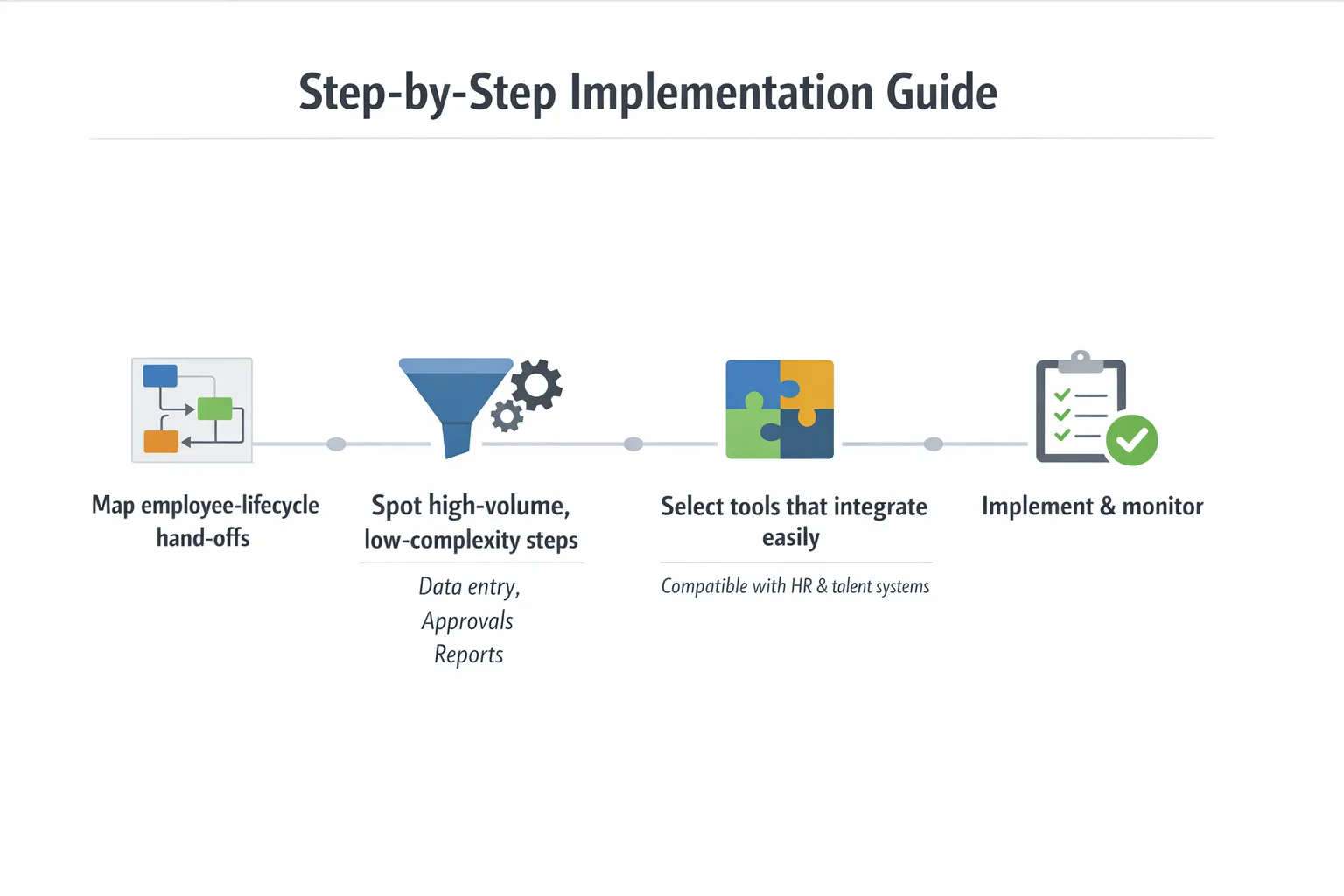
Assess current processes and identify automation candidates
Start by mapping every hand‑off in your employee lifecycle. Look for high‑volume, low‑complexity steps—think data entry, approvals, and report generation.
Choose the right tech stack and vendors
Don’t chase the flashiest tool. Pick platforms that play nicely with your existing employee management software and talent management systems. A 2022 case study showed a 27 % faster rollout when the vendor offered pre‑built connectors.
Pilot program design and KPI selection
Run a pilot in a single department. Track clear KPIs: time‑to‑complete, error rate, and user satisfaction. If you miss the mark, tweak the workflow before you go enterprise‑wide.
Change management and employee training
And remember, people fear loss of control. Hold hands‑on workshops, create quick‑reference videos, and celebrate early wins. When users see a bot handling mundane tasks, adoption spikes.
Scale, monitor, and optimize
Now that the pilot succeeded, roll out in waves. Use a governance board to review logs weekly, adjust triggers, and add new bots where ROI exceeds 150 %.
Best Practices for Successful Workforce Automation
Start with high‑volume, low‑complexity tasks
Automating payroll calculations before tackling talent acquisition yields quick payoffs and builds confidence.
Align automation with business goals
Every bot should answer a “why?” question. If your aim is to reduce hiring time, focus on recruitment automation, not on archiving old files.
Maintain a human‑centered approach
But technology isn’t a replacement for empathy. Use bots to free up time for coaching, mentorship, and career development.
Continuous monitoring and governance
Set up a dashboard that flags anomalies—like a sudden spike in rejected invoices. Treat it like a health check for your automation ecosystem.
Measuring ROI and Success Metrics
Cost‑benefit analysis
Calculate total cost of ownership (software licences, integration hours) versus savings from reduced labor and error correction. A 3‑year horizon is standard.
Time‑to‑complete reduction
Track the minutes saved per transaction. In one retailer, order‑fulfillment time dropped from 12 minutes to 3 minutes after deploying an RPA scheduler.
Employee satisfaction scores
Run pulse surveys. When respondents report a 20 % lift in “focus on meaningful work,” you’ve hit a cultural milestone.
Error rate decline
Monitor defects per million opportunities (DPMO). A dip from 250 to 70 indicates your bots are doing what they’re built for.
Governance, Ethics, and Compliance
Data privacy considerations
Make sure every data flow complies with GDPR or CCPA. Encrypt personal identifiers and limit bot access to only what’s needed.
Transparent decision‑making algorithms
When an AI suggests a promotion, surface the factors—tenure, performance scores, skill gaps. Transparency builds trust.
Audit trails and regulatory alignment
Every automated action should leave an immutable log. That way auditors can trace who approved what, even if a bot made the decision.
Real‑World Examples and Case Studies
HR onboarding automation
Tools such as SmartOnboard reduced new‑hire paperwork from 8 pages to a single digital form. Onboarding time fell from 5 days to 2 days, and new‑employee NPS climbed to 92.
Payroll processing
A mid‑size manufacturer used RPA to pull hours from time‑cards, calculate taxes, and push payments to the bank. Errors vanished, and the finance team reclaimed 15 % of their headcount for analytics work.
Customer support ticket routing
By training an AI classifier on past tickets, a SaaS firm cut average resolution time by 35 %. The bot routes tickets to the right specialist, and humans handle the conversation.
Future Trends: Agentic AI and Hyper‑Automation
Autonomous decision‑making agents
Next‑gen agents will not only execute tasks but also decide when to start them—think a bot that auto‑schedules overtime when demand spikes.
Integration with talent management systems
Imagine a system that predicts skill gaps, suggests training, and then automatically enrolls employees—all without a manager’s click.
Common Pitfalls and How to Avoid Them
Over‑automation
If you try to automate every click, you risk creating brittle processes that break at the first exception. Keep a manual fallback for rare cases.
Ignoring employee input
But the best ideas often come from the front line. Run focus groups before you lock in a workflow; you’ll catch hidden complexities.
Poor change management
Now is the time to communicate the vision, celebrate small wins, and provide continuous support. Without it, resistance will gnaw at adoption rates.
Putting It All Together
Workforce automation isn’t a one‑size‑fits‑all project; it’s a strategic journey. Start small, measure rigorously, and keep people at the heart of every bot you deploy. When you blend solid technology—RPA, AI, IoT—with clear governance and a genuine focus on employee experience, you’ll see cost savings, faster cycles, and a happier workforce.
In short, the path to a smarter, more agile organization runs through thoughtful automation. Embrace the tools, respect the data, and empower your people to do the work that truly moves the needle.
Frequently Asked Questions
How does workforce automation differ from general process automation?
Workforce automation specifically targets tasks performed by employees, using tools like RPA, AI assistants, and scheduling software, whereas process automation focuses on streamlining any business process, including machine‑to‑machine workflows. The goal of workforce automation is to augment human labor and free staff for higher‑value work.
What ROI can organizations expect from adopting workforce automation?
Companies typically see 20‑30% productivity gains and 15‑25% cost reductions within the first year, thanks to faster task completion and fewer errors. Additional benefits include improved compliance and higher employee satisfaction, which can further boost revenue.
What role do AI and RPA play in workforce automation?
RPA handles repetitive, rule‑based tasks by mimicking user actions, while AI adds cognitive abilities such as natural language understanding, decision support, and predictive analytics. Together they create end‑to‑end automation that can both execute and adapt to complex work scenarios.
What are the first steps for a company to implement workforce automation effectively?
Start with a maturity assessment to identify high‑impact, low‑complexity tasks, then pilot an automation solution on a single process. Measure results, refine the workflow, and gradually scale across departments while establishing governance and change‑management practices.
What challenges commonly arise during workforce automation projects and how can they be mitigated?
Resistance from staff, integration with legacy systems, and data quality issues are typical hurdles. Mitigate them by involving employees early, using modular integration tools, and cleaning data before deployment, plus providing training and clear communication about benefits.

